Thredd Portal -
Financial customer web portal - Fintech Industry
September 2023 - May 2024
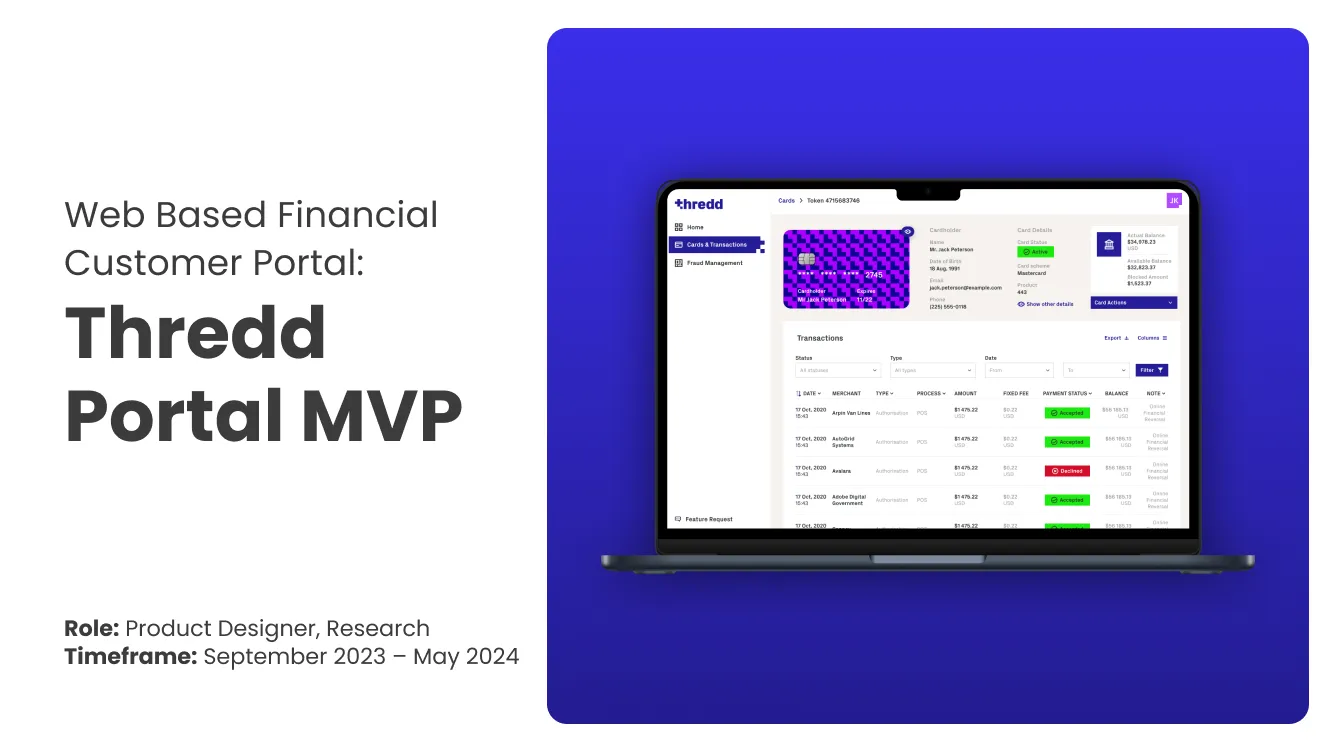
Case Study Summary
Problem
Enterprise financial clients relied on a legacy, Windows-only portal (Smart Client) to manage cards, transactions, and customer accounts. The platform had grown organically over time, resulting in a data-heavy and complex experience that was difficult to learn and inefficient to use.
As a result, new users faced long onboarding times, daily tasks took longer than necessary, and businesses increasingly depended on Thredd’s operations and support teams to complete routine actions.
My role
Product Designer, leading end-to-end discovery and delivery of the MVP - from research and usability testing through interaction design and launch - in close collaboration with Product and Engineering across an 8-month engagement.
Outcome
Delivered a fully functional web-based MVP that replaced the legacy Smart Client while retaining all critical operational features
Simplified complex, data-heavy workflows to reduce cognitive load for daily expert users
Modernised the interface and interaction patterns to improve clarity, confidence, and ease of use
Addressed key accessibility issues and aligned the platform with AAA accessibility standards
Validated the solution through usability testing with key enterprise users to ensure the product supported real-world operational needs.
Early feedback from internal teams and enterprise clients indicated improved usability and reduced reliance on support for common tasks.
Project Details
Role: Product Designer (end-to-end ownership of MVP from discovery to launch)
Duration: 9 months
Team: Product, Engineering, Design
Tools: Figma, Miro, Jira, Confluence, Hotjar, Google Analytics
The Problem
Smart Client was a legacy, Windows-only financial platform used by enterprise clients to manage cards, transactions, and customer accounts. Over time, the product had grown organically, resulting in a highly complex, data-heavy interface designed primarily around system capabilities rather than user needs.
As a result, new users experienced long onboarding times, and even experienced users relied heavily on support to complete routine tasks. This led to increasing support requests, negative user feedback, and operational inefficiencies for both clients and Thredd’s internal teams.
In addition, many client organisations had transitioned to Mac-based workflows, making Smart Client inaccessible to a growing portion of users. To address these challenges and support Thredd’s evolving brand and platform strategy, a modern, web-based replacement was required — one that retained critical functionality while significantly improving usability, accessibility, and consistency.
Hypothesis
We believed that replacing the legacy, Windows-only Smart Client with a modern, web-based portal designed around real operational workflows would significantly improve efficiency for enterprise users.
By simplifying high-frequency tasks such as card and transaction management, improving accessibility, and aligning the experience with Thredd’s new brand, we expected to reduce onboarding time, lower support dependency, and improve customer confidence in the platform.
Success would be measured through faster task completion, reduced training and support needs, and positive feedback from both clients and internal teams.
Business Goals
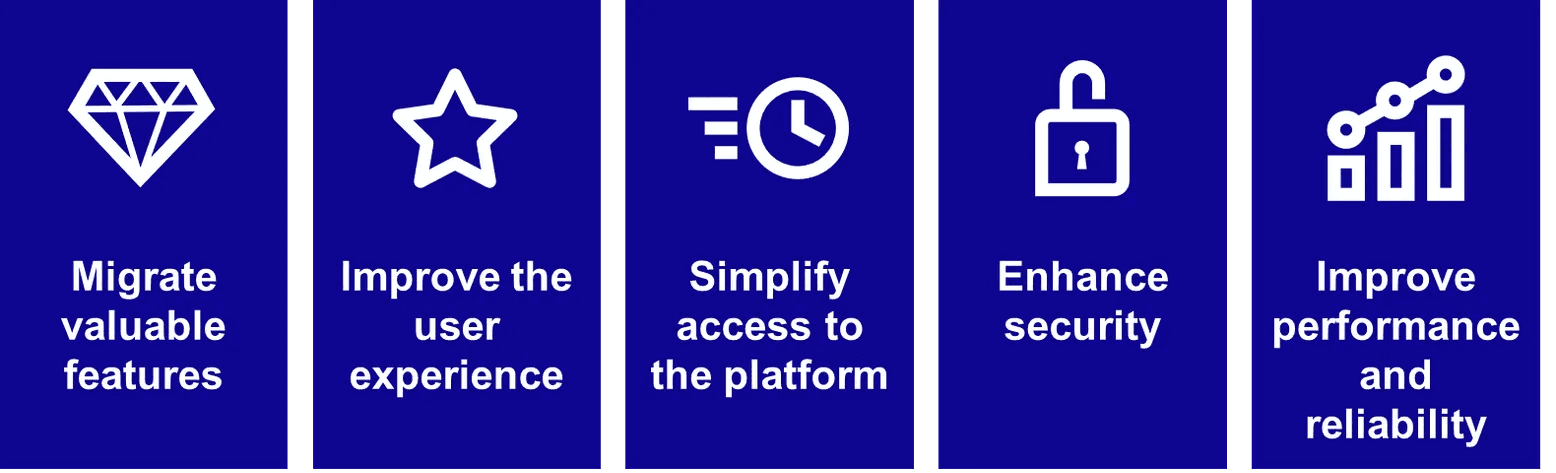
Enable cross-platform access (Windows + Mac) to broaden availability and reduce entry barriers
Validate and address the most critical usability issues from Smart Client through extensive user research and testing
Improve onboarding efficiency and reduce support dependency by streamlining key operational workflows
Improve performance and reliability of product offering, Smart client offered slow loading and result speeds
Modernise UI and interaction patterns to increase user confidence, brand trust, and ease of use
Implement industry-standard security practices (two-step authentication) to ensure compliance and trust
Improve performance and responsiveness of high-value features such as card and transaction search
Ensure two step security on login to adhere to industry standards for financial tool
Rebrand tool to be consistent with new Thredd branding
Build product in modern user interface for desktop only, ensure universal web patterns are used
Undertake user testing and QA before MVP release
Research & Discovery
Research was critical to understanding the shortcomings of the legacy Smart Client and defining a focused, high-impact MVP.
I combined stakeholder workshops, user interviews, persona development, competitor analysis, and task-based journey mapping to ensure the Thredd Portal was grounded in real operational needs and technically feasible.
Research goals
Research focused on understanding why the legacy Smart Client experience was failing at scale, identifying which features were essential for an MVP replacement, and uncovering opportunities to improve usability, accessibility, and operational efficiency for enterprise users.
Research approach
To build a grounded understanding of both user and business needs, I led a combination of qualitative research and cross-functional discovery activities, including:
Discovery workshops with internal stakeholders across Operations, Sales, Product, Engineering, and Customer Support
Interviews with external enterprise clients and internal operational teams
Competitive analysis of comparable financial platforms
User journey mapping for critical workflows
Key insights
Research surfaced several consistent and high-impact themes:
Poor learnability and onboarding: New users struggled to understand core workflows, leading to long onboarding times and heavy reliance on documentation and support.
Operational inefficiency: Even experienced users found routine tasks slow and cognitively demanding due to complex, data-dense interfaces and unclear hierarchy.
Support dependency: High support ticket volume was directly linked to usability issues rather than lack of functionality.
Platform and accessibility limitations: The Windows-only application excluded Mac-based teams and failed to meet accessibility standards, limiting adoption and trust.
Negative brand perception: Outdated UI, slow performance, and legacy tooling contributed to a perception that the platform and brand were behind modern standards.
Shaping MVP
These insights directly informed the scope and direction of the Thredd Portal MVP. Working closely with Product and Engineering, we prioritised feature parity for critical workflows while deliberately simplifying interactions, improving accessibility, and designing for web-based delivery.
Early technical discussions with engineering helped identify constraints within the existing backend and guided realistic MVP scoping, with some complex features intentionally deferred. Usability testing with key users was then used to validate workflows and ensure the redesigned portal better supported real operational tasks.
Measuring success
Success metrics were defined collaboratively with Product to ensure the MVP delivered meaningful improvements, including:
Faster completion of key workflows such as card and transaction search
Reduced onboarding and training time for new users
Lower reliance on support for routine actions
Improved independent use through clearer UI and accessible documentation
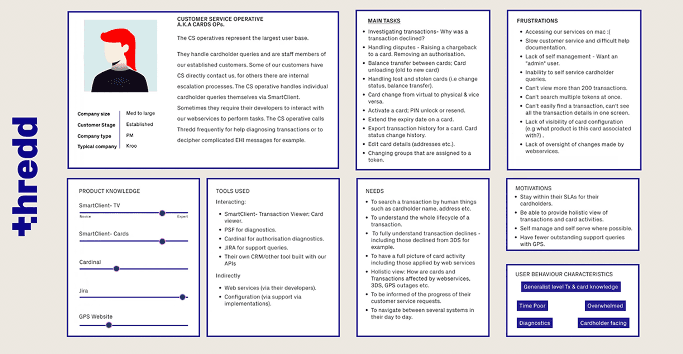
User Persona Development
To ensure the portal was designed around real operational needs, I focused on identifying Thredd’s primary and secondary user personas based on roles, responsibilities, and frequency of platform usage.
Through interviews with internal teams (operations, sales, engineering) and external clients, we identified Customer Service Operators as the primary users and Product Managers as secondary users. These personas directly informed feature prioritisation, navigation structure, and information hierarchy throughout the MVP.
User Flows & Task Journeys
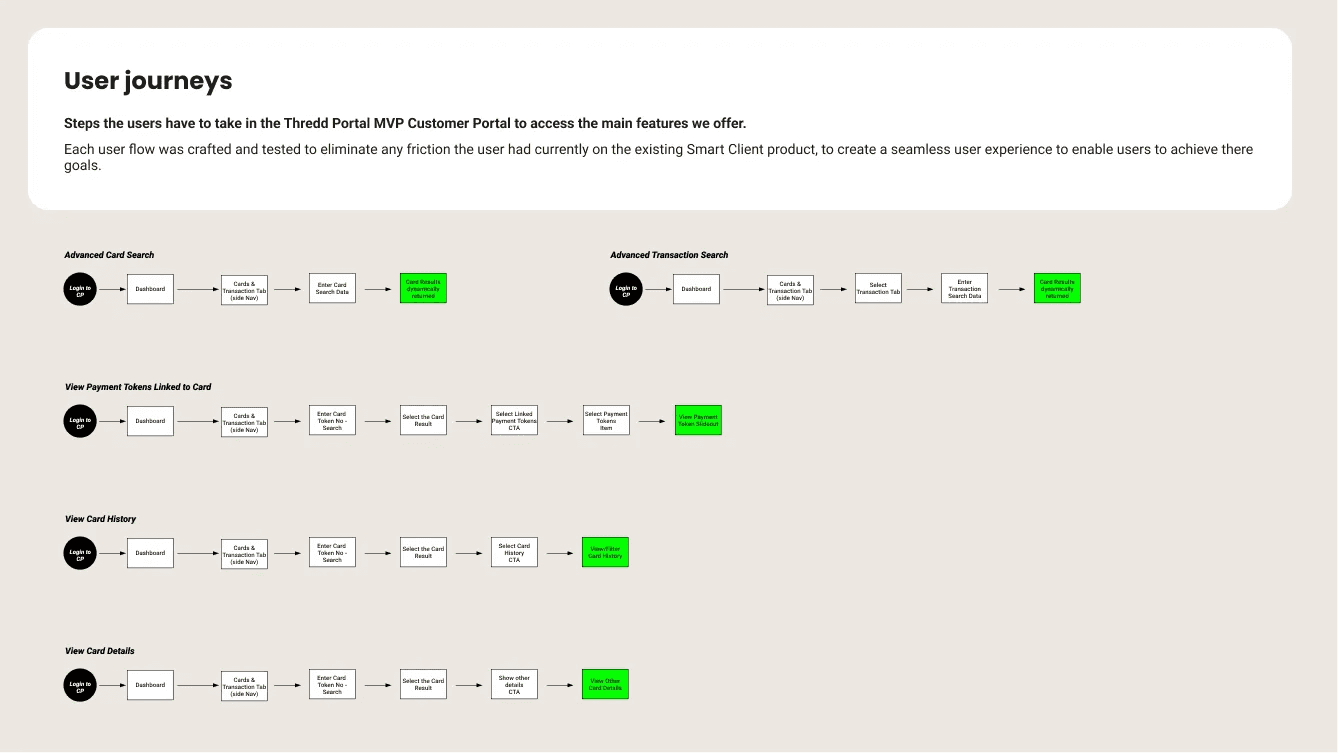
Once the MVP feature set was agreed, I mapped end-to-end user flows for all high-frequency tasks, including card search, transaction diagnostics, and card actions.
These flows were used to simplify complex legacy processes, identify unnecessary steps, and align design decisions early with engineering constraints. They became a shared reference point across design, product, and engineering throughout delivery.
From insight to design principles
Design principles
Based on research insights, we defined a set of principles to guide all design decisions:
Design for expert, daily use — prioritise speed and efficiency over visual novelty
Reduce cognitive load — simplify dense financial data into scannable, structured views
Feature parity without feature bloat — retain critical Smart Client functionality while improving clarity
Accessibility by default — ensure all workflows meet AAA accessibility standards
Design within technical constraints — align designs early with backend and performance limitations
Design evolution: from sketches to prototypes
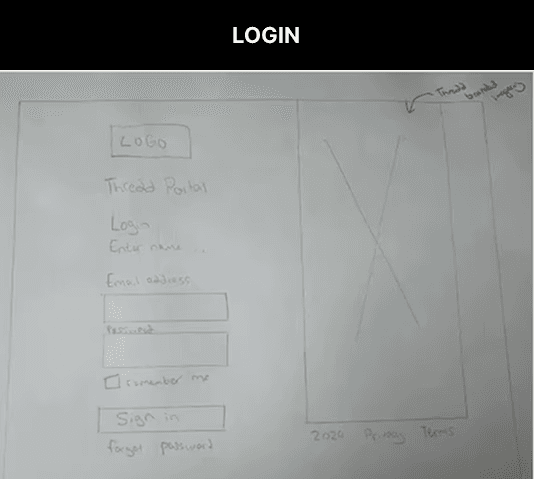
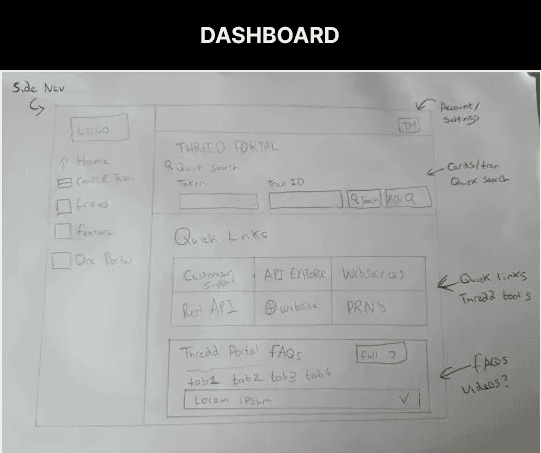
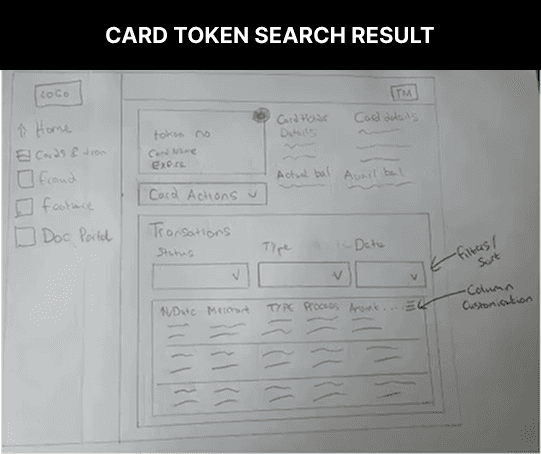
Following confirmation of the MVP scope, I explored solutions through rapid sketching before moving into low-fidelity wireframes in Figma. Early sketches focused on core workflows such as login, dashboard overview, and card search to validate layout, hierarchy, and information density.
Designs were iterated through frequent working sessions with Product, Operations, Engineering, and Customer Care to ensure usability, feasibility, and alignment with real operational needs. Once validated, wireframes were progressed into high-fidelity prototypes using Thredd’s new branding and component library.
Sketches -
At the start of the Thredd Portal redesign, I relied on hand drawn sketches to explore multiple approaches for the platform’s most critical user flows: login, dashboard, and card token search results. Sketching allowed me to rapidly test layout ideas, hierarchy, and interaction patterns without committing to high-fidelity visuals.
Wireframes -
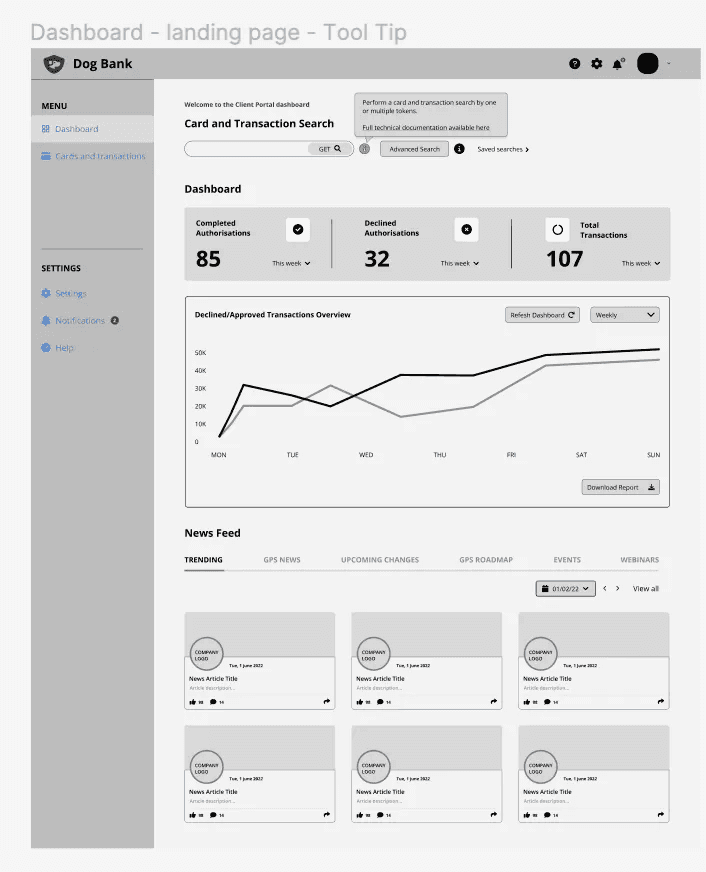
I turned sketches into low-fidelity Figma wireframes, focusing on structure, layout, and task flow. I worked closely with stakeholders through workshops to refine designs and ensure feasibility, then moved on to high-fidelity prototypes for final validation and usability testing.
Dashboard -
Designed the dashboard wireframe to combine quick and advanced card/transaction search, transaction analytics, and an integrated newsfeed, making complex data easy to explore and act on.
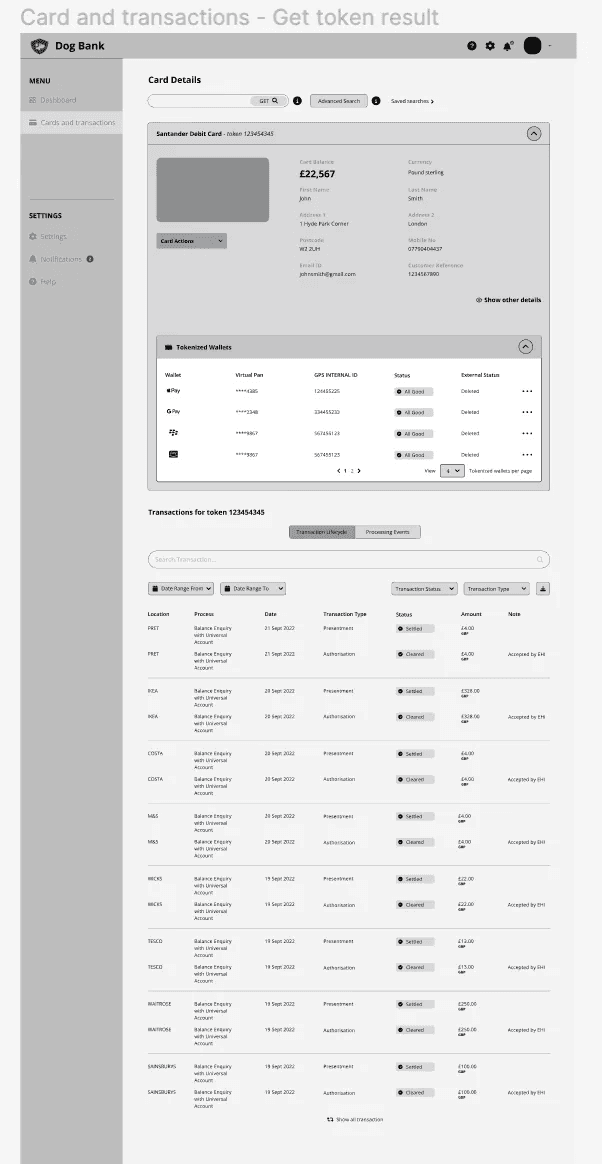
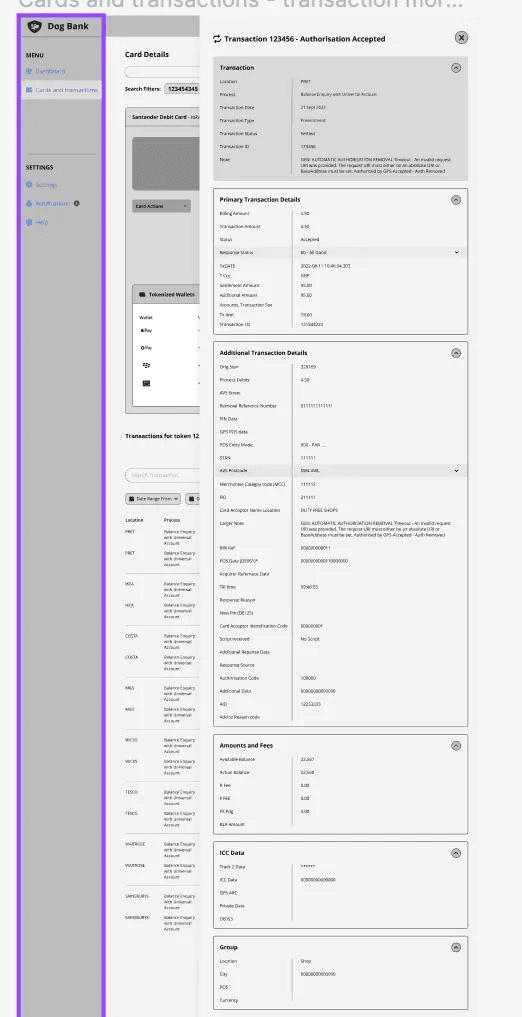
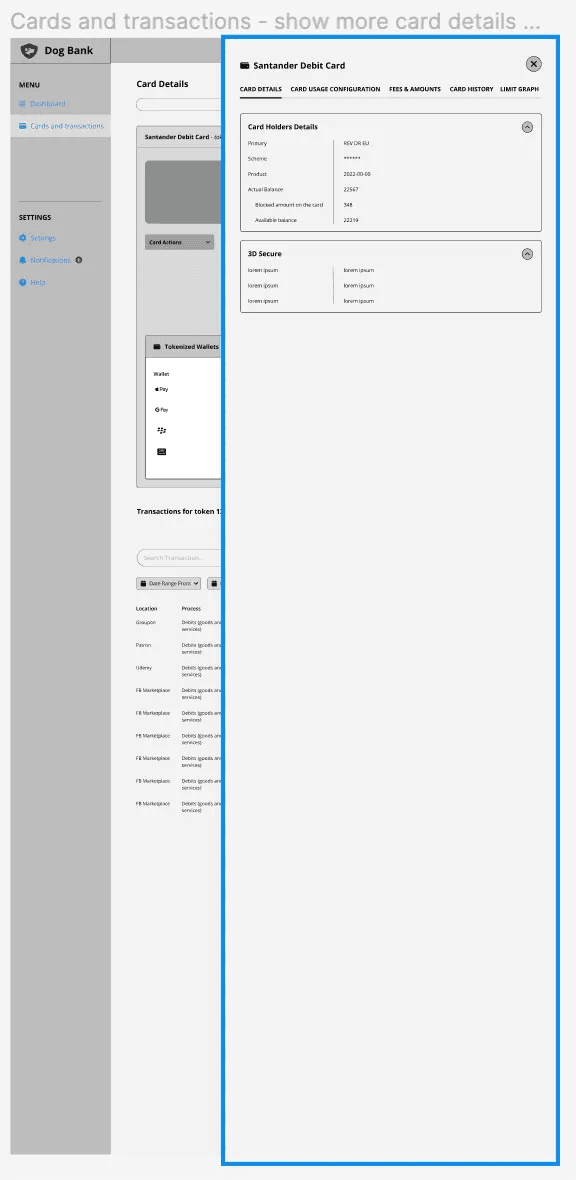
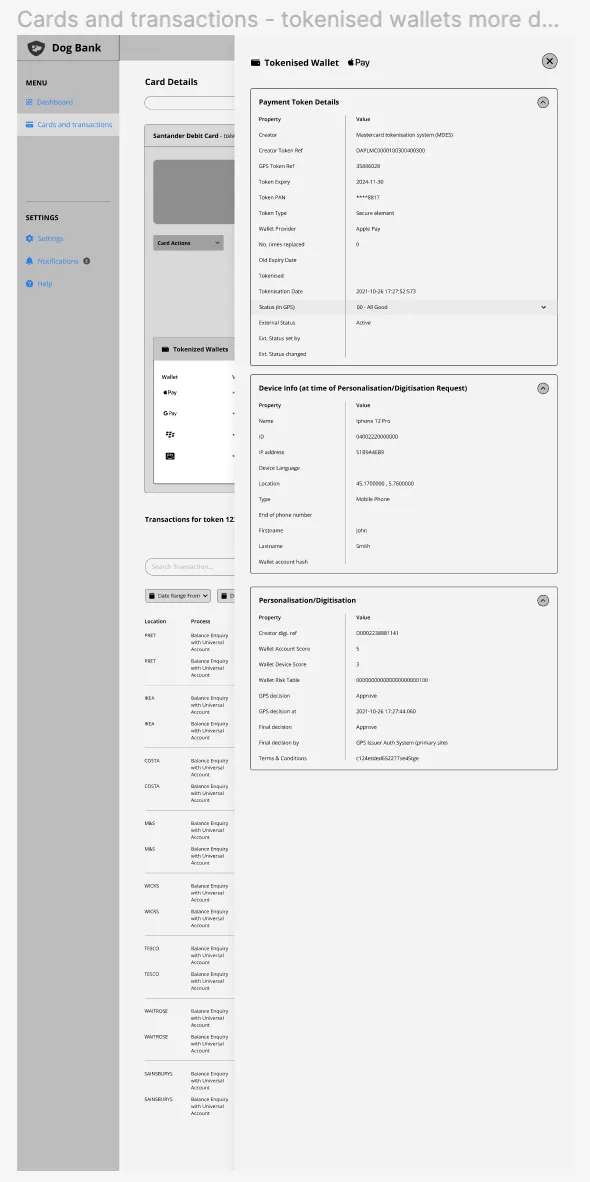
Card & transaction management -
Designed to support fast diagnosis and resolution of issues, with clear hierarchy, progressive disclosure, and consistent action patterns.
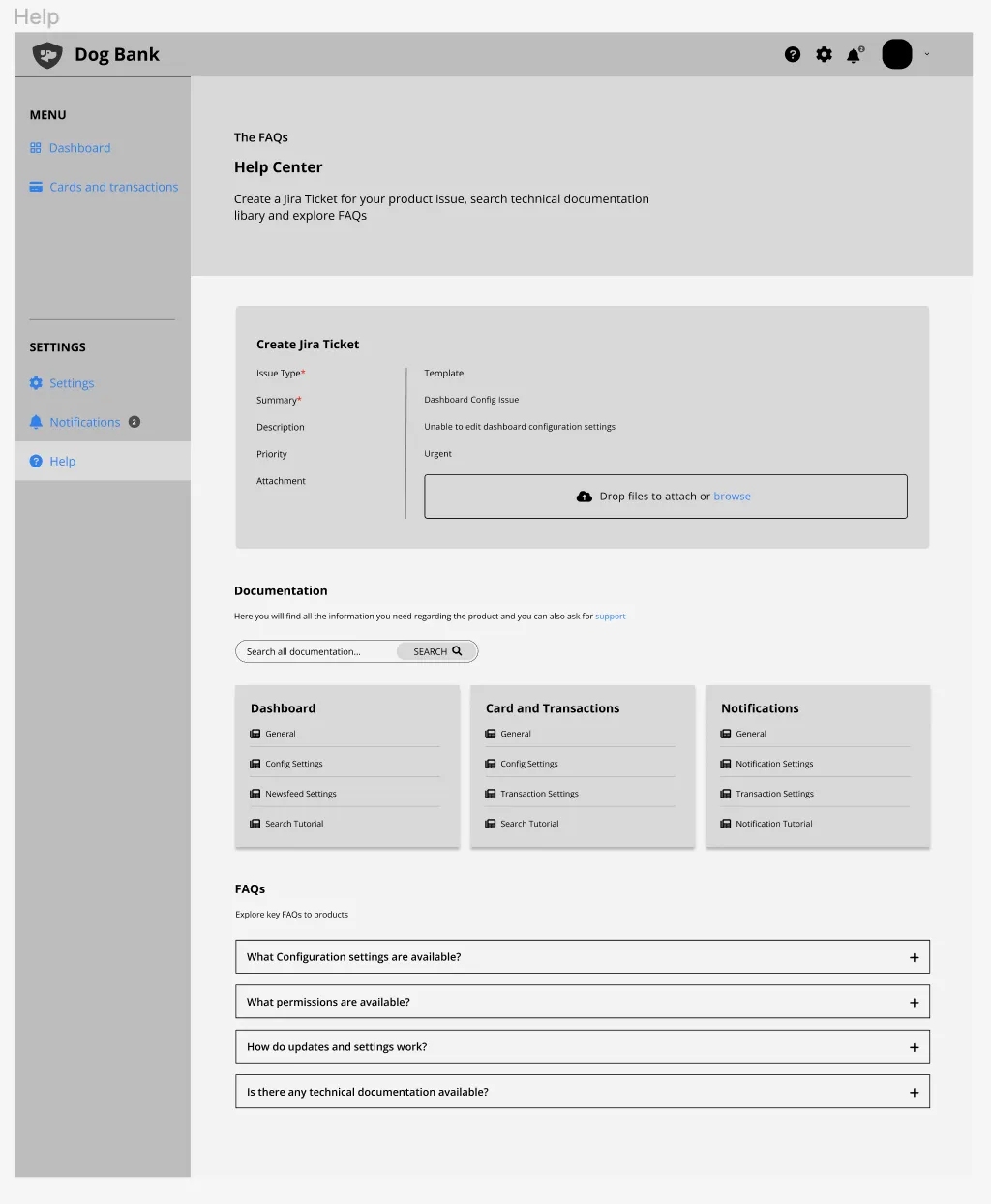
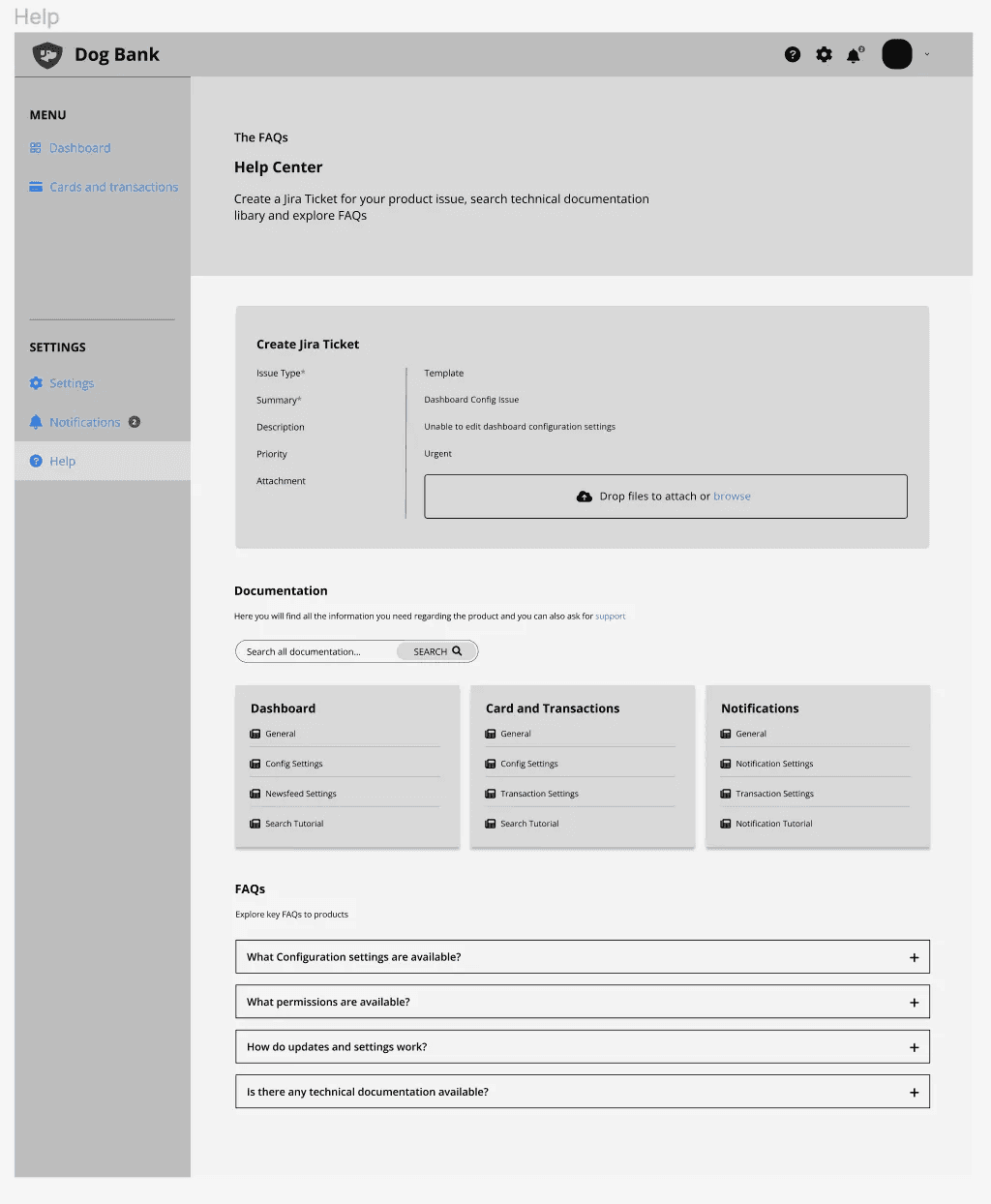
Help Center & Notifications
Designed to give users timely guidance and updates, with clear hierarchy, searchable content, and consistent interaction patterns, ensuring support and information are easy to access and act on.
Usability testing
Before moving on to high-fidelity designs, I used the wireframes to conduct usability testing with internal teams, including Operations, and select clients. This allowed me to validate flows, gather feedback, and demonstrate potential working solutions before finalizing the design.
Final Prototype Designs
Below are key screens from the Thredd Portal MVP, highlighting how complex operational workflows were simplified into clear, usable interfaces for enterprise users.
Authentication & Entry
Core Navigation & Overview
Card Management
High-frequency operational workflows used daily by customer service teams.
Transaction Diagnostics
Primary investigation flow for diagnosing declined or disputed transactions.
System Configuration
Authentication & Entry
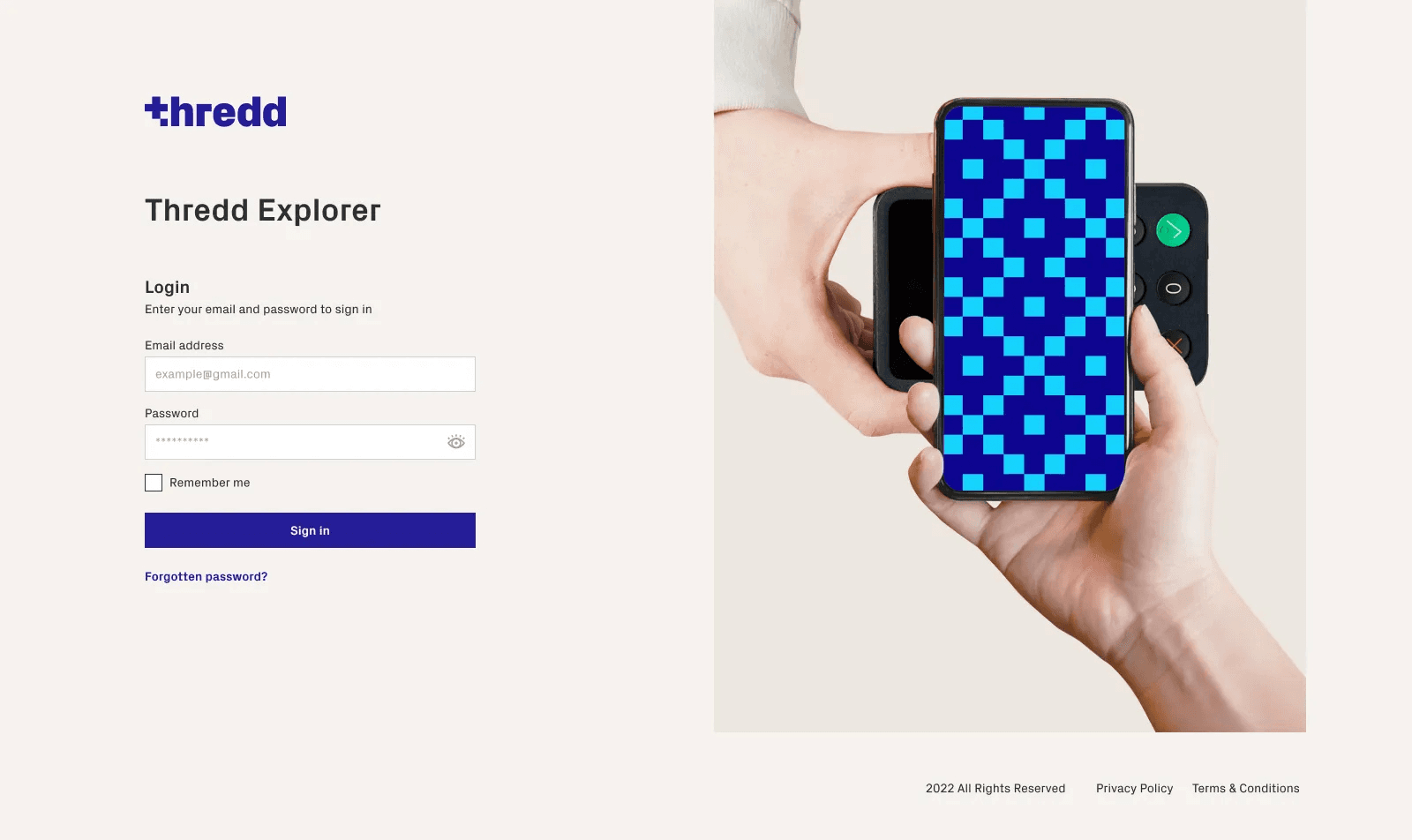
Login Screens
I designed the Thredd Portal Login screens in Figma in the Thredd Branding and added the components to the product design system. I designed multiple login flows for different login journeys such as successful, incorrect/email, incorrect password, forgotten password reset.
Core Navigation & Overview
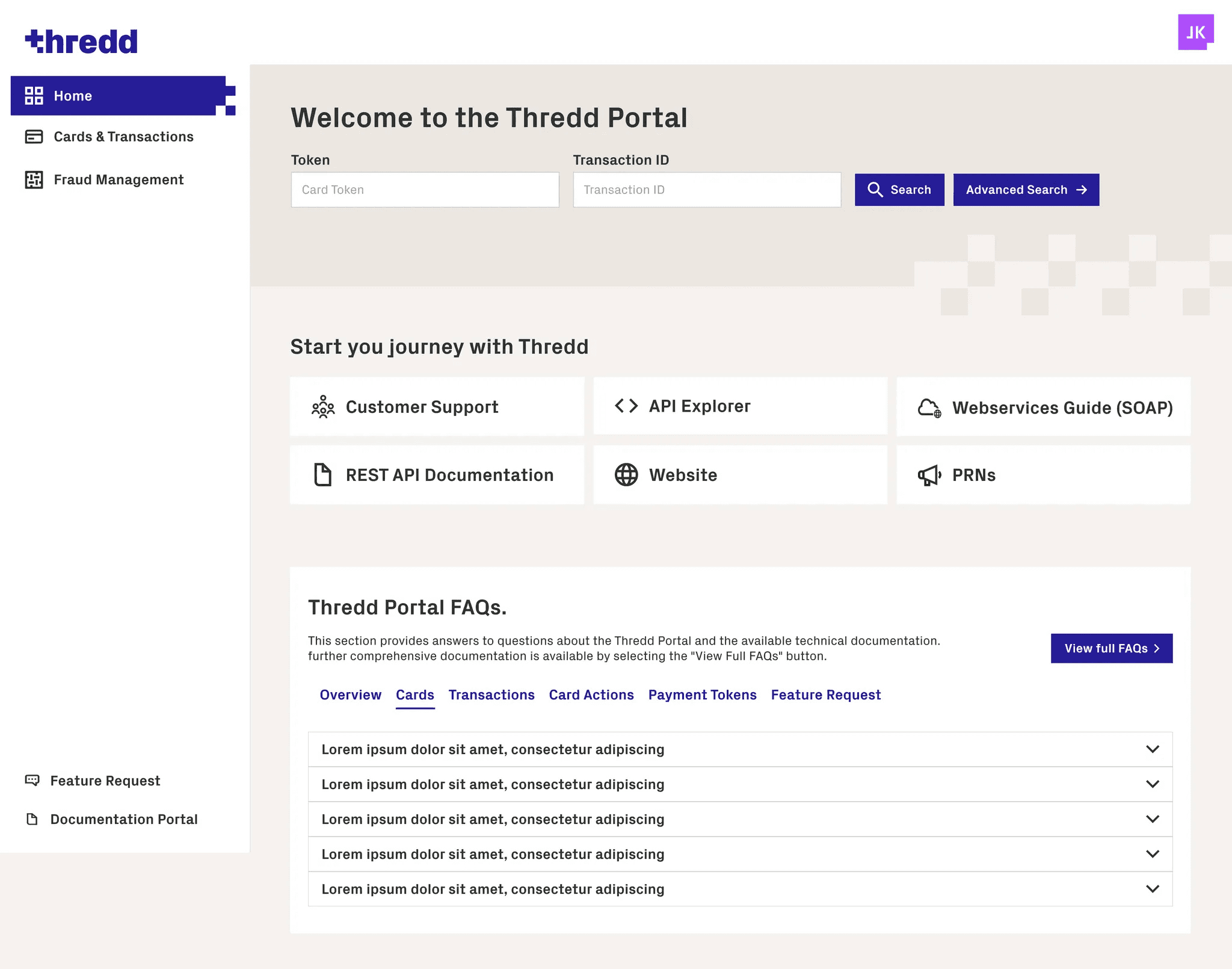
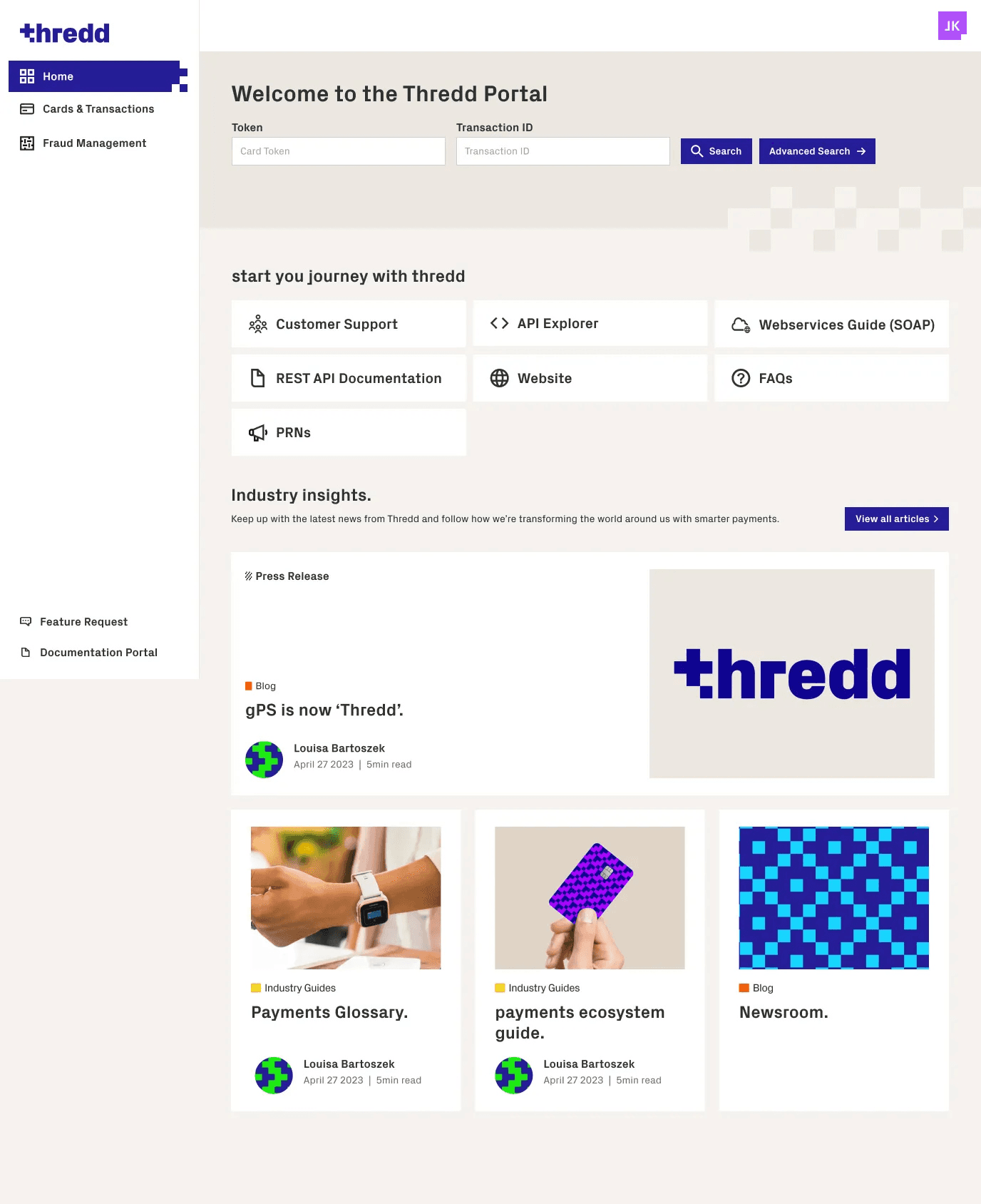
Dashboard
The Thredd Portal dashboard went through multiple rounds of designs with key stakeholder feedback and had to be redesigned due to some elements having tech constraints the finalised dashboard is below:
Card Management
Card Search
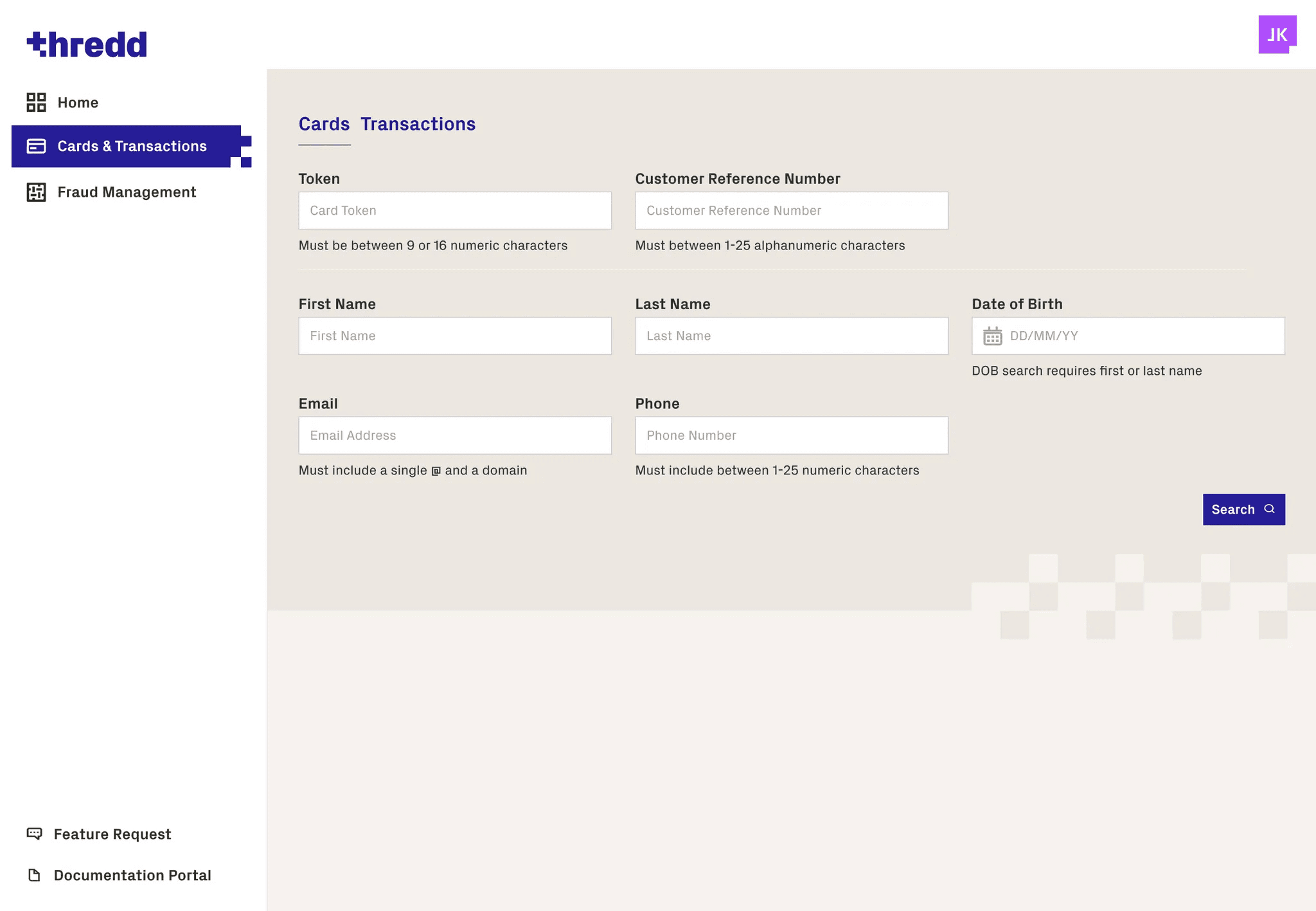
One of the most used features in Smart Client is the card search feature which allows users to search for client cards using search parameters such as card token, customer reference number, first name, last name, DOB, email and phone. We recreated this feature with an improved user experience and updated Thredd branding, search journeys and search landing page shown below:
Card Management
View Live Card Spends
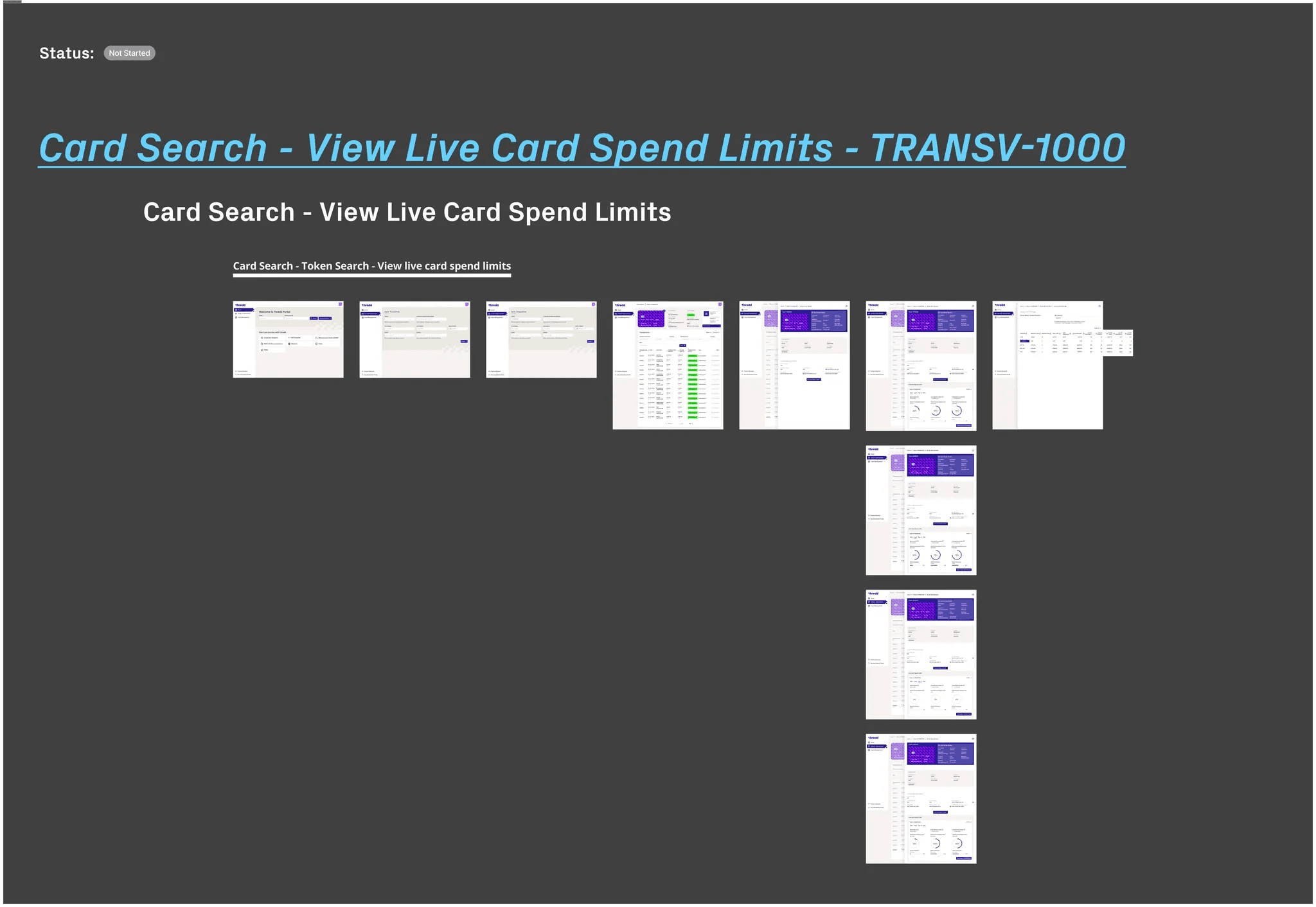
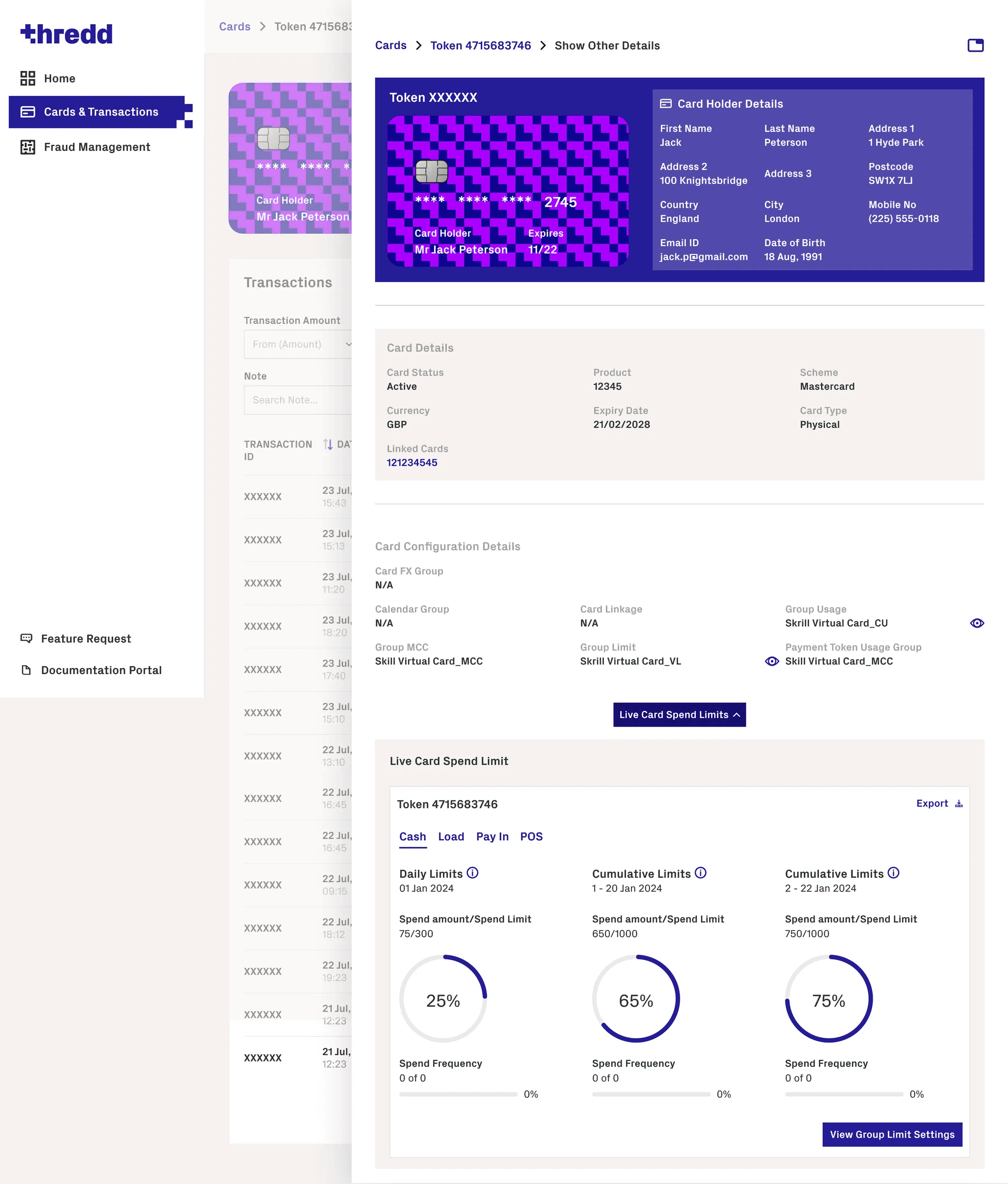
A key feature of smart client that was scoped to be in Thredd Portal is view live card spends which presents users with the card holder live spend limits that have been set on that specific card.
Card Management
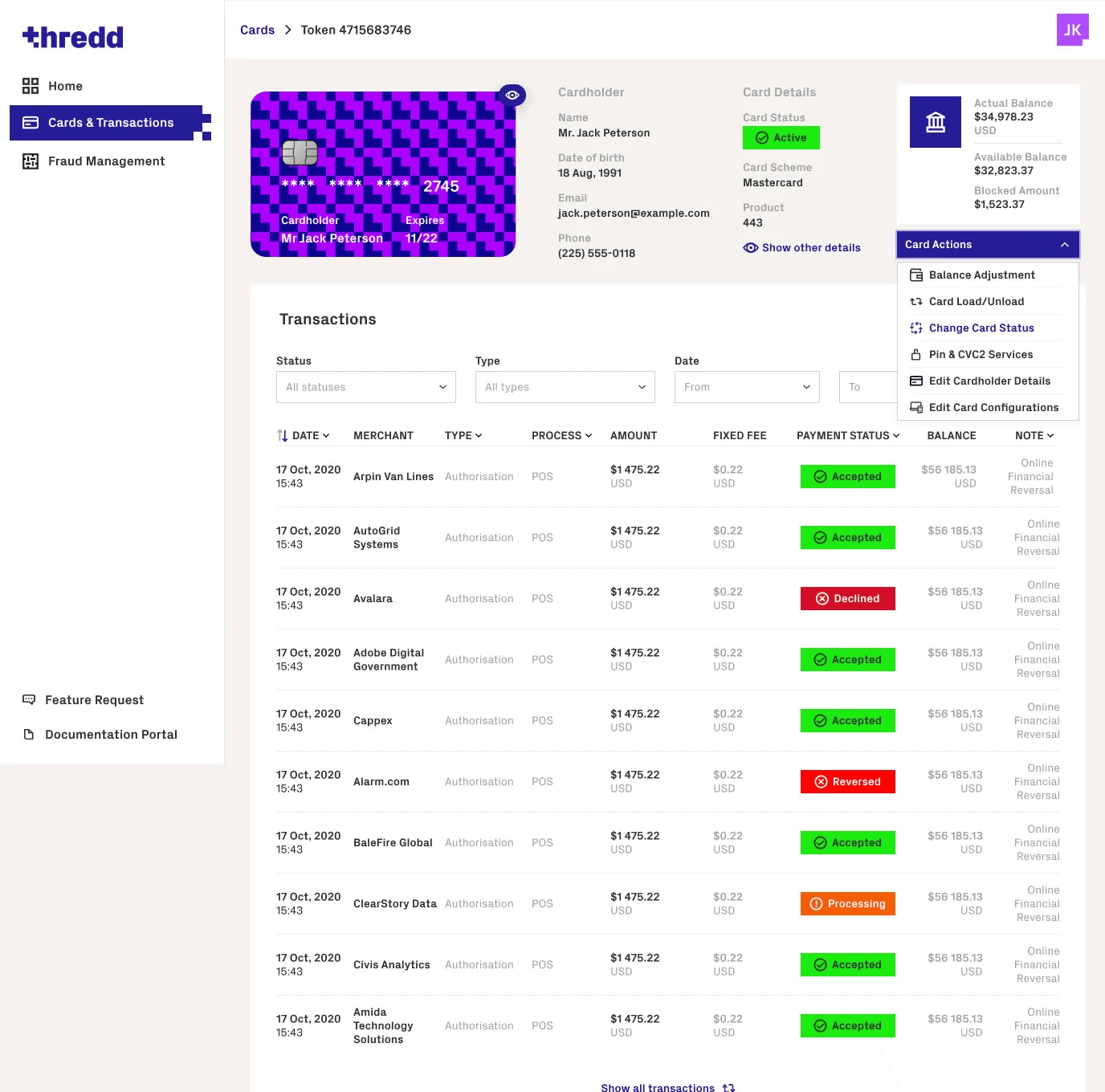
Card Actions
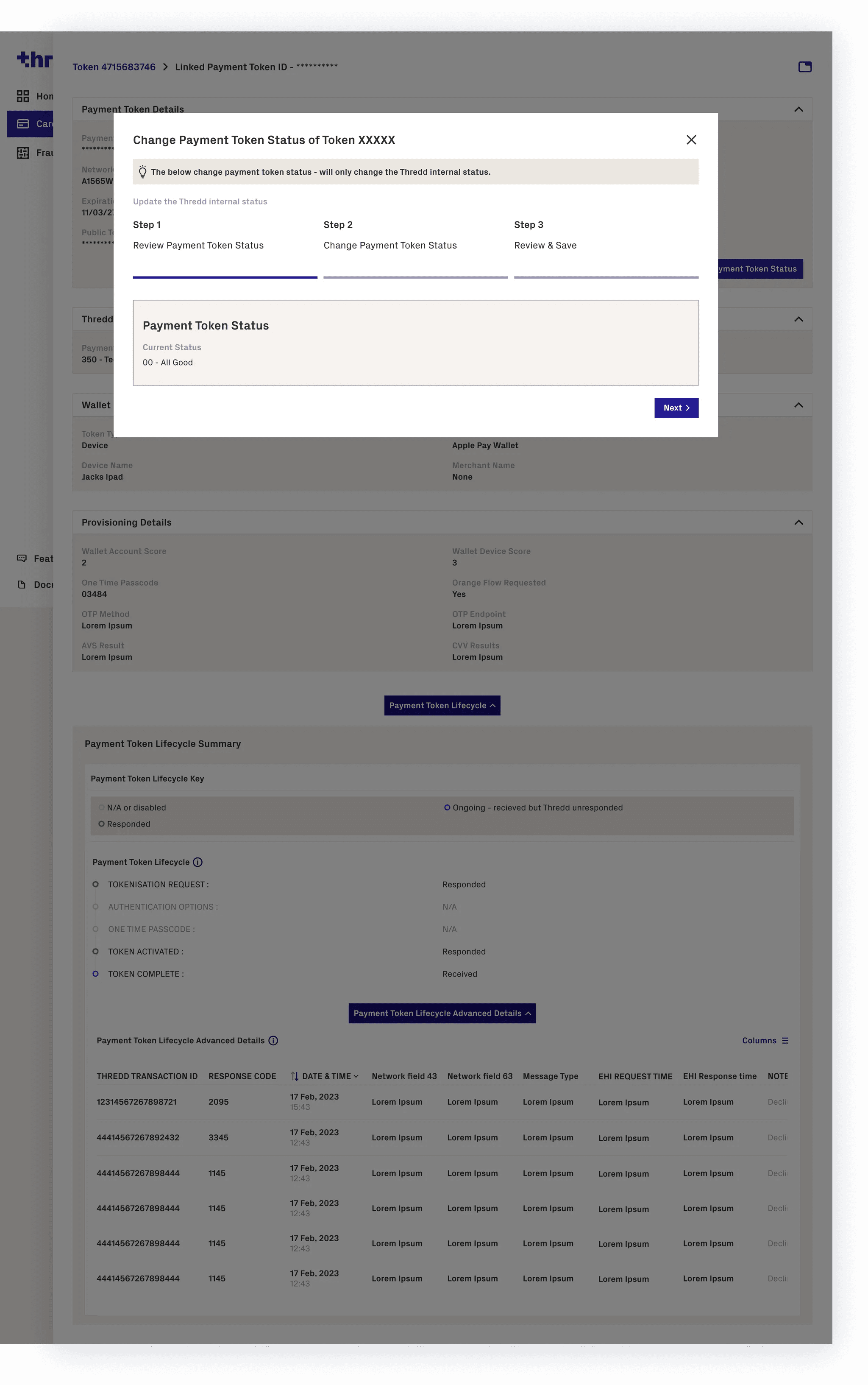
A key feature of Smart Client and Thredd Portal is card actions, the user can search a card and perform the following card actions - balance adjustments, card load/unload, change card status, pin & CVC2 services, edit card holder details and edit card configurations. I designed prototypes for each card actions, using a progress modal component for user to complete each stage of the card action.
Card Management
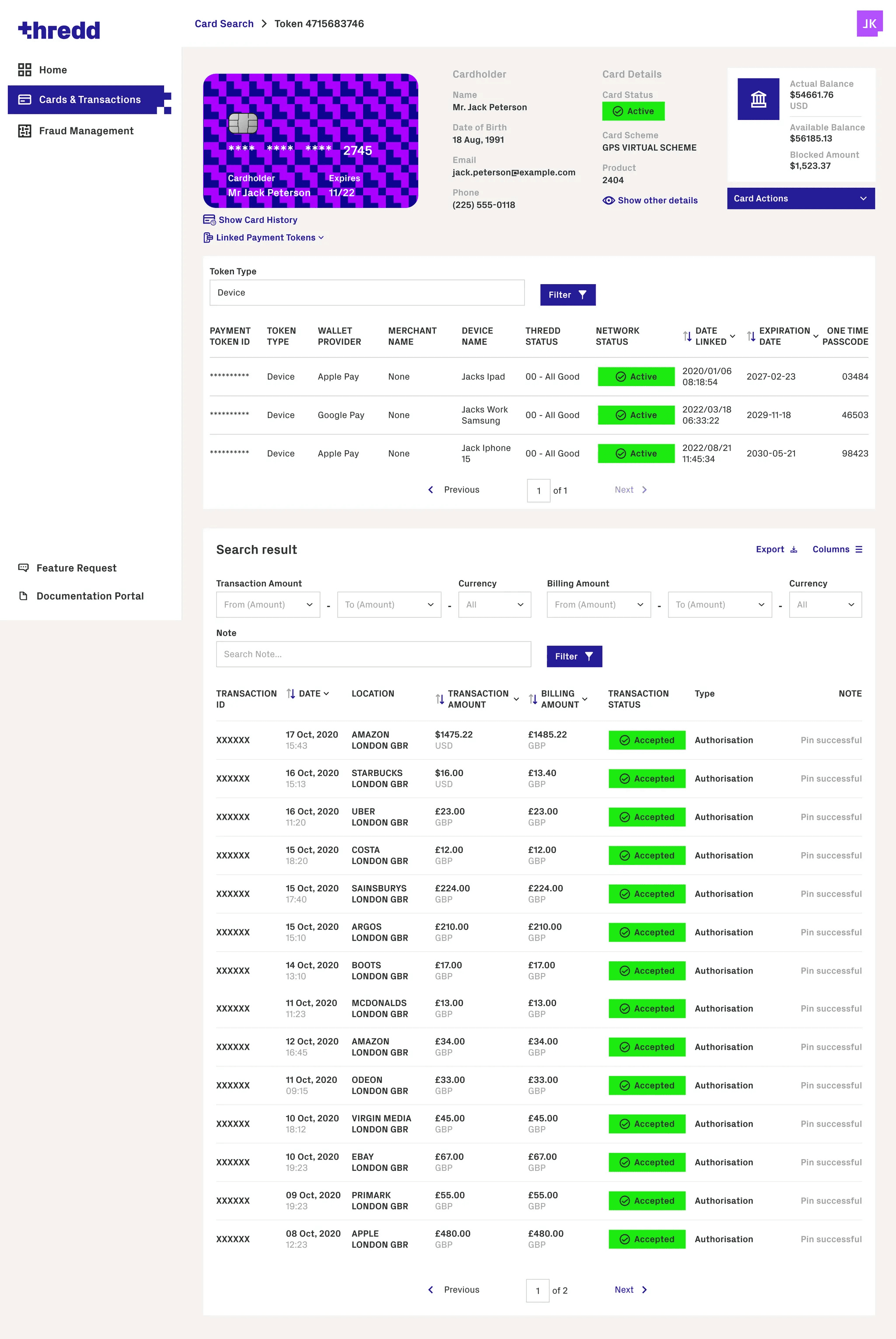
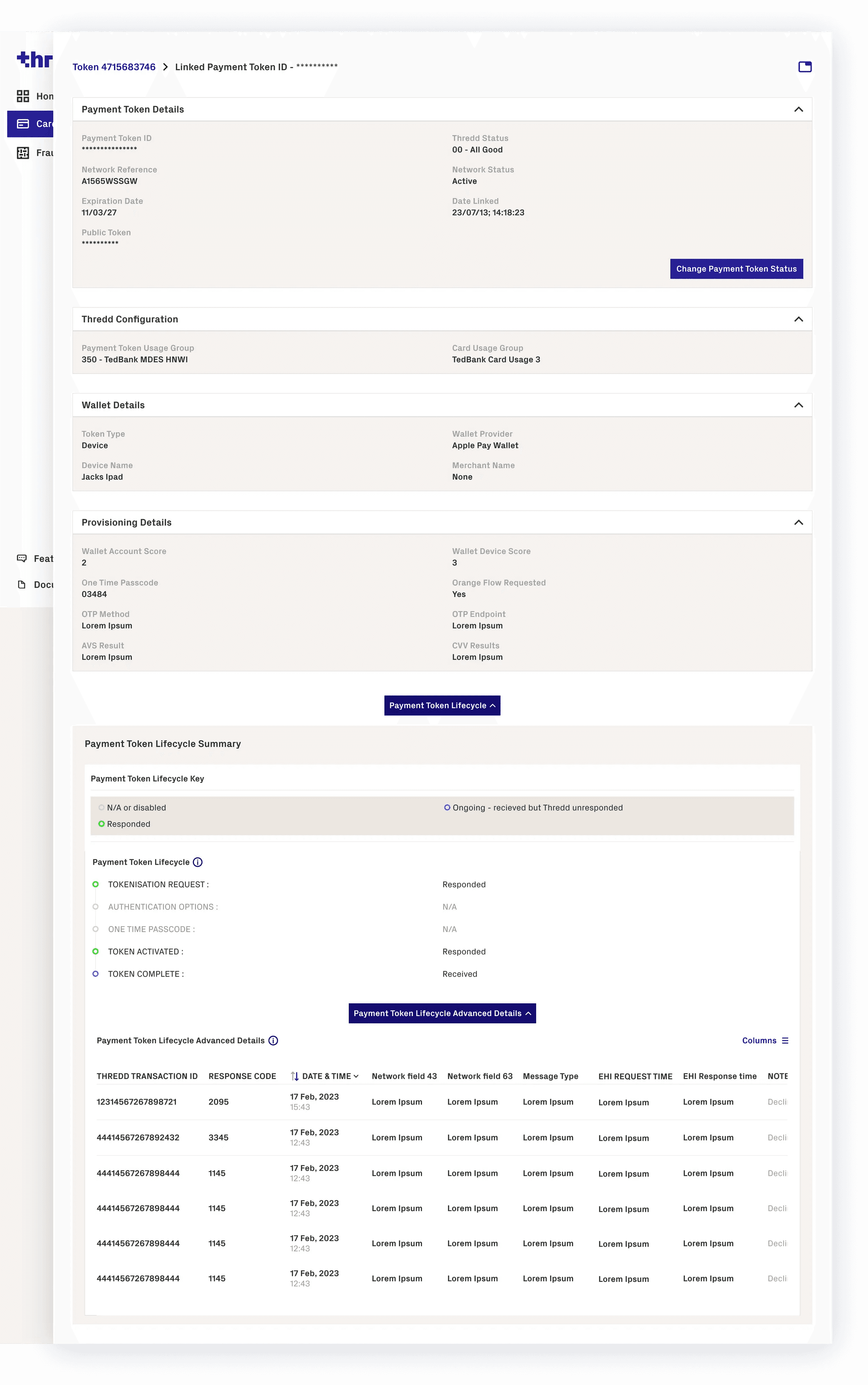
Payment Tokens
The payment token feature was another main feature of Smart Client and Thredd Portal and allows users to see all of the payment tokens attached to a specific card and then diagnose the token and perform an action.
Transaction Diagnostics
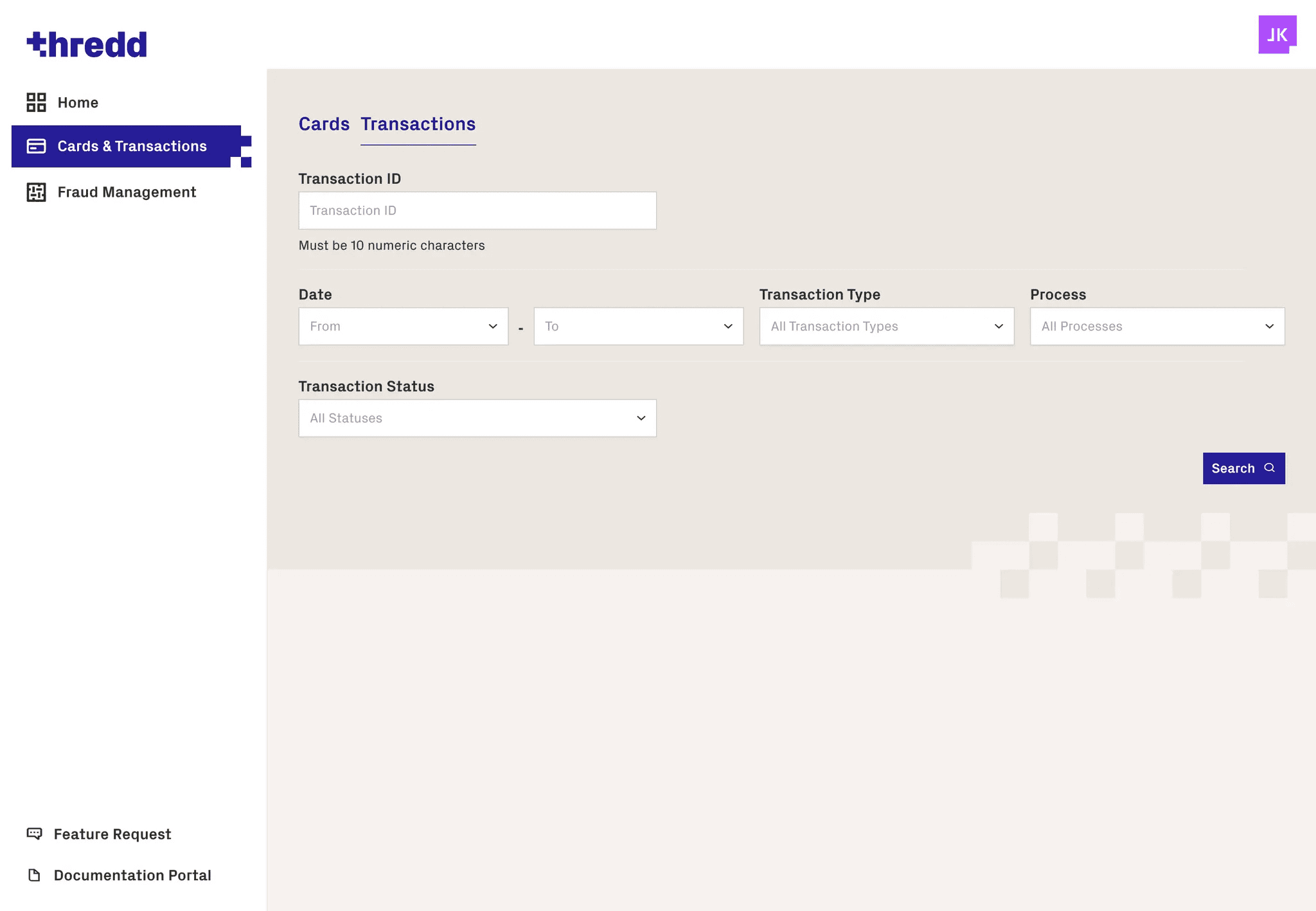
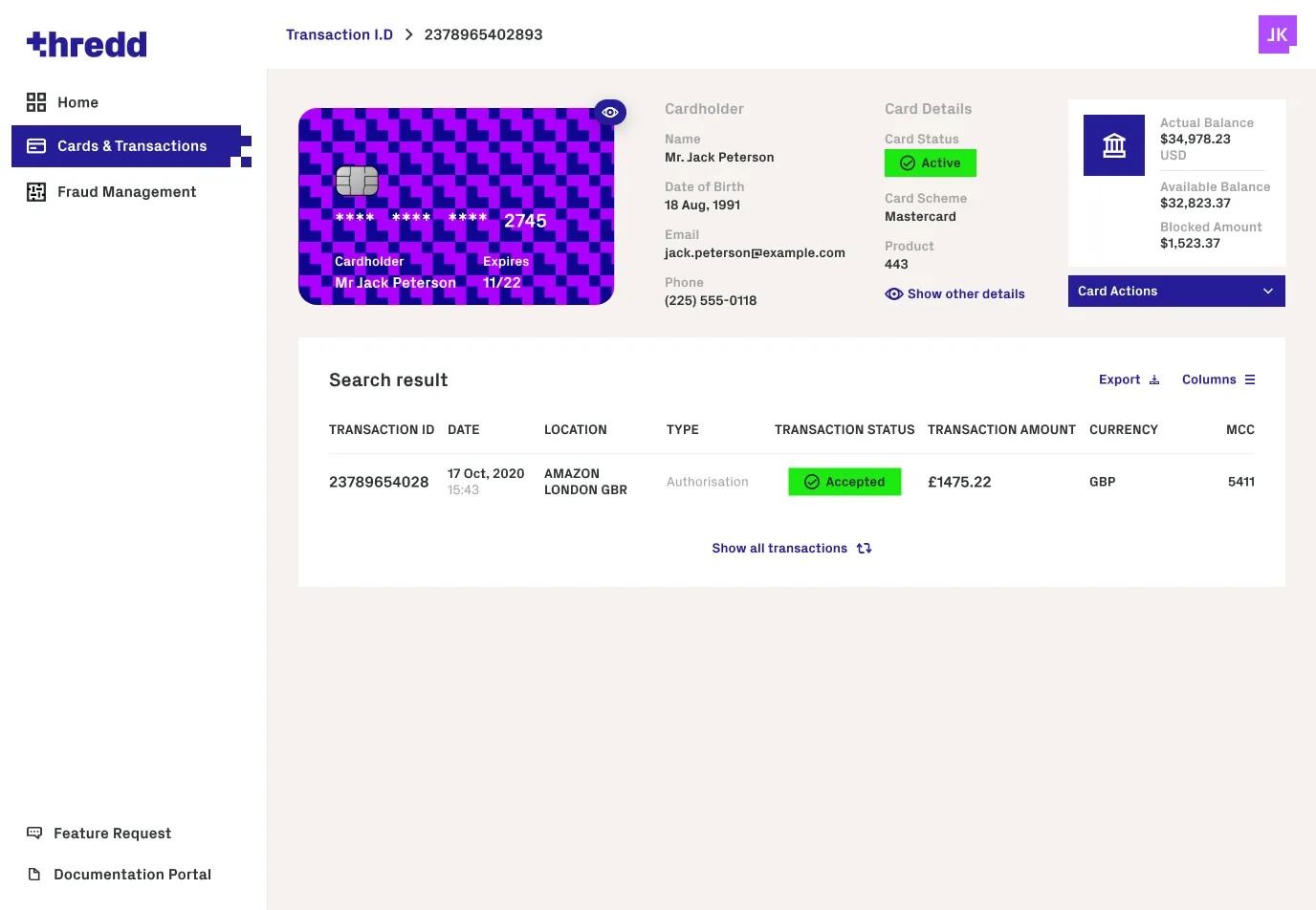
Transaction Search
The transaction search is one of the primary user tasks when using Smart Client and the Thredd portal, the feature allows users to search for a transaction and see all key details to diagnose a transaction.
System Configuration
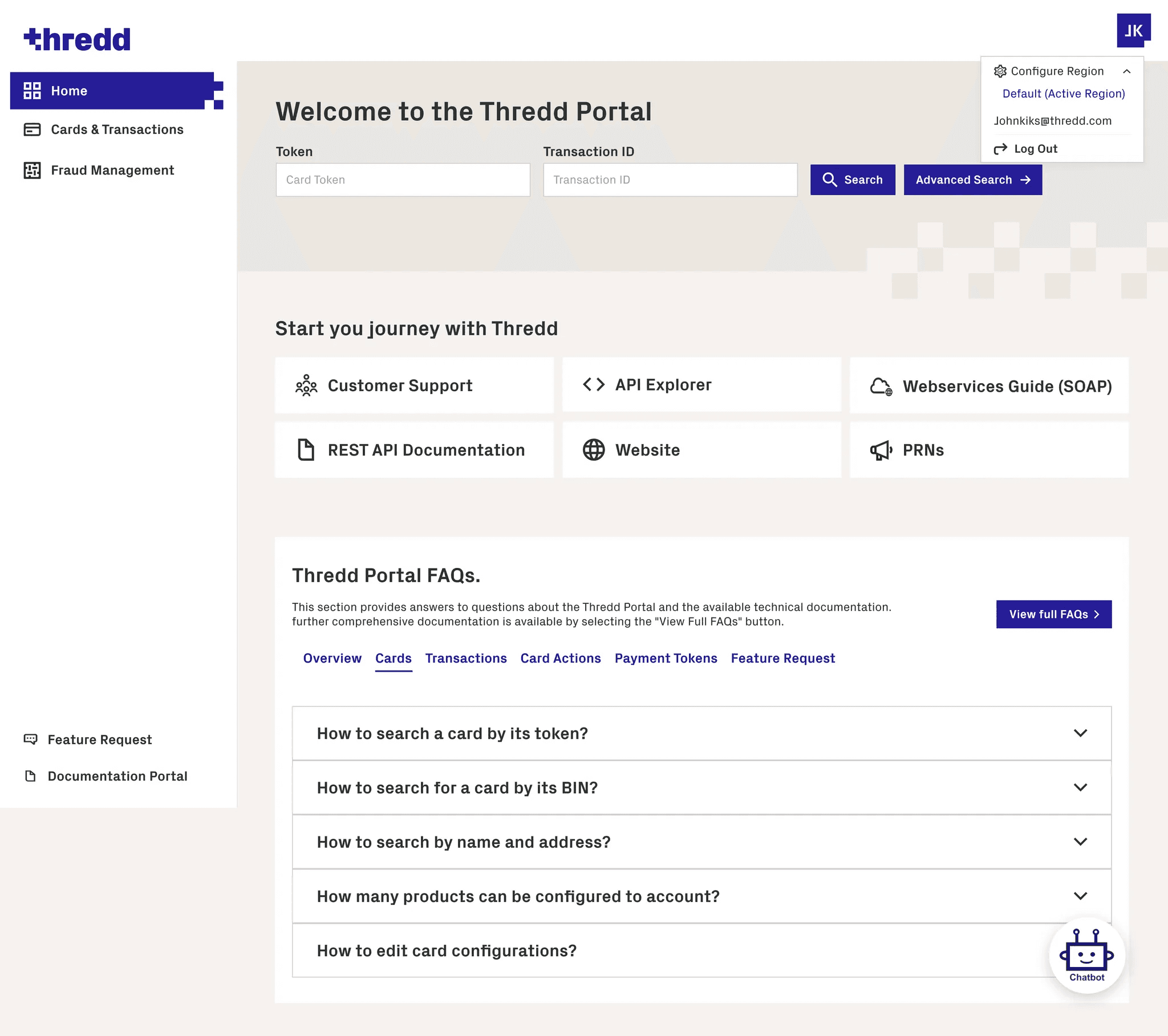
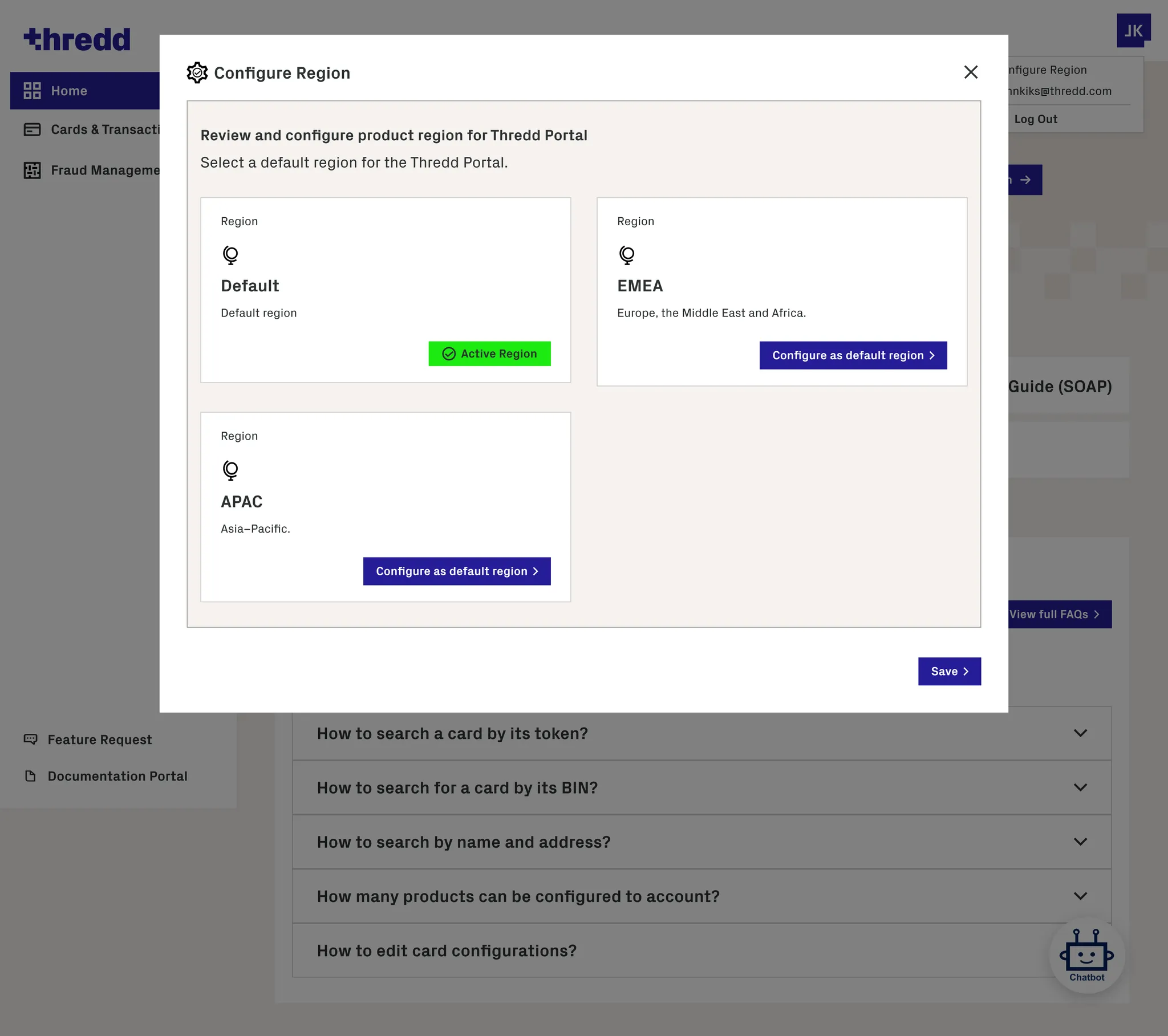
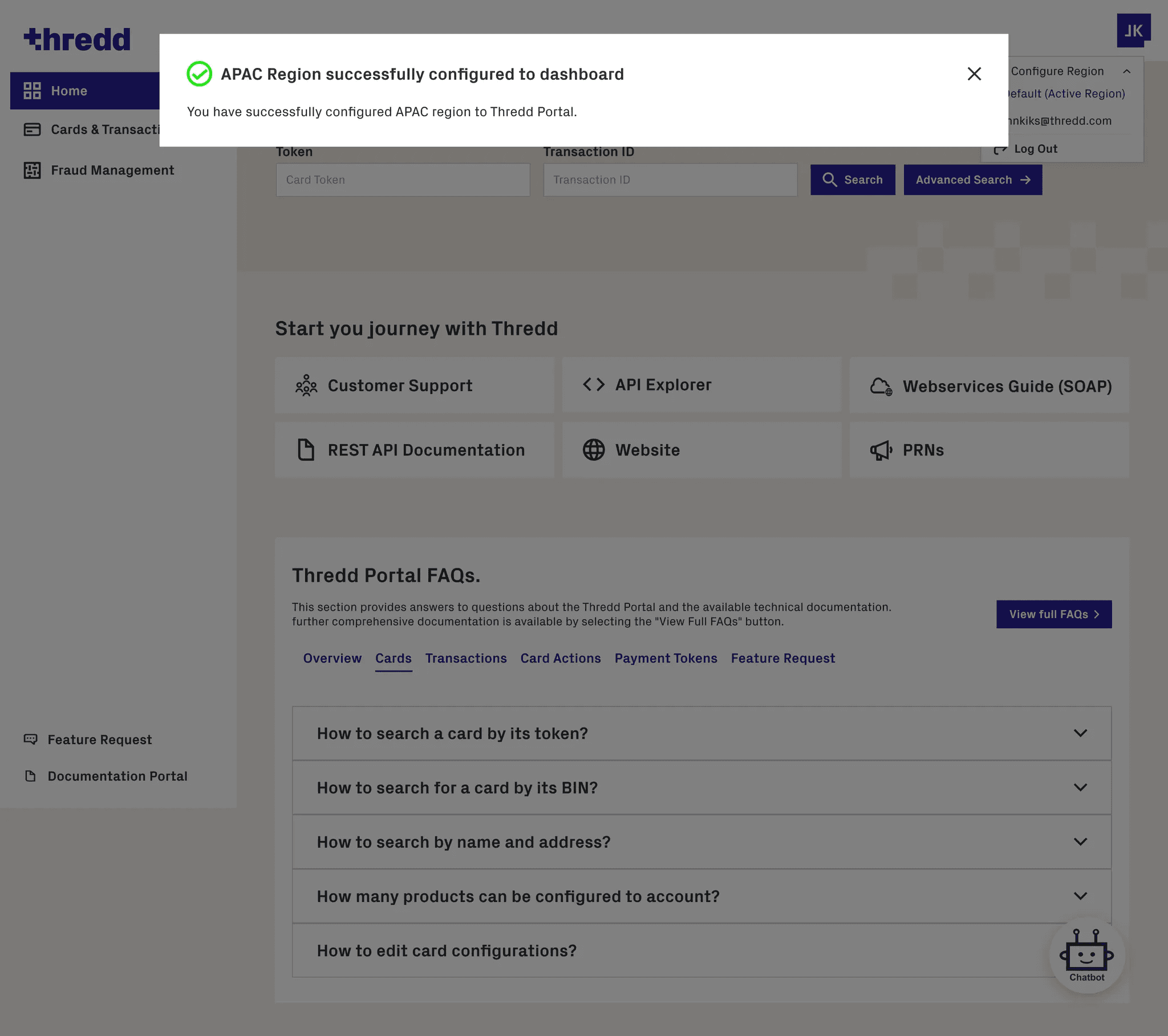
Region Configuration
The region configuration feature was added just before launch as the engineering team realised that due to the global data in the database when a user performed a search the results took too long to return due to having to search through a massive amount of data. Therefore a configure region feature was added so that users could select a specific region which would narrow down their search requirements and receive instant search results.
Handover to Engineers & Design System Implementation
Objective: Ensure that the high-fidelity prototypes were translated into production accurately, while establishing reusable components for future scalability.
Close Collaboration: Worked daily with the engineering team to review high-fidelity prototypes, resolve technical constraints, and ensure that interactions, layouts, and spacing were implemented pixel-perfect.
Design System Integration: Partnered with developers to build out components from the design system in Storybook, ensuring consistency, modularity, and reusability across the platform.
Component Validation: Iteratively reviewed implemented components to confirm alignment with design specifications, maintaining visual integrity and interaction fidelity.
Scalable Development: By establishing modular components in Storybook, future features could be developed faster and more consistently, supporting a growing platform without compromising UX quality.
QA & Feedback Loop: Conducted final QA in collaboration with engineering, validating responsiveness, accessibility considerations, and interactive behaviours before launch.
Impact: This approach ensured a smooth handoff, reduced rework, and maintained design integrity, while strengthening the collaboration between design and engineering teams for ongoing platform development.
From Prototype to Impact
Once high-fidelity designs were finalized, the Thredd Portal was rigorously tested, launched, and measured. The following sections highlight usability testing insights, post-launch results, and key learnings that informed the next phase of development.
Testing
Weekly usability testing was conducted with internal Thredd staff and over 10 client users, including Customer Service Operators and Product Managers from Curve.
Initially, low-fidelity wireframes were reviewed with operations, sales, engineering, BAs, PMs, and subject matter experts to address technical constraints and gather insights from long-time Smart Client users.
As designs progressed to high fidelity, weekly usability sessions with internal and external users helped refine the experience, ensuring pain points were eliminated before the MVP release. User feedback was incorporated into iterative design updates.
Post-release impact
Following the MVP release, we monitored usage and behaviour through Hotjar, Google Analytics, and qualitative feedback sessions with both internal teams and external clients.
Insights showed that key workflows such as card and transaction search were completed more quickly and with fewer errors compared to Smart Client, and users required significantly less guidance from support teams.
Internal operations and sales teams reported increased confidence in using the portal for day-to-day tasks and customer demos, while external clients consistently described the experience as clearer, more modern, and easier to learn than the legacy tool.
This qualitative and behavioural feedback confirmed that the portal was successfully addressing the core usability and onboarding issues identified during discovery.
Impact, Learnings & What I’d Do Next
The Thredd Portal MVP successfully replaced the legacy Smart Client with a modern, web-based platform that improved usability, accessibility, and performance for enterprise users. Key workflows such as card and transaction search were significantly faster, onboarding time was reduced, and both internal teams and clients reported increased confidence in using the platform.
Key Learnings
Early alignment with engineering reduced rework and helped manage MVP scope
Continuous usability testing with real users was critical in simplifying complex financial workflows
Designing for expert users requires prioritising clarity, speed, and system visibility over visual novelty
Future Opportunities
Post-MVP feedback highlighted demand for additional features such as chargebacks and expanded diagnostics, forming a clear roadmap for future iterations.